
Who Actually Owns Your Nonprofit's Accounts?
Your website, payroll and donor data may belong to someone who left. Here is how to find out in an afternoon, and a free inventory to track it going forward.

Jenn Howe
Nearly 30 years working in and consulting for nonprofits
A small nonprofit missed two months of payroll last year. The payroll vendor account had been set up by someone who had since left, and nobody remaining could log in. Another organization has spent four months trying to get two former board members to hand over the Squarespace site and the social media accounts, and the former board members are in no hurry. A third cannot register for Google for Nonprofits because a previous executive director already started the process and the verification emails go to her.
I could keep going. A board whose shared email address is tied to one person's phone for the authorization codes. A community organization that discovered it had more than 200 active Microsoft accounts because volunteers and contractors were never removed. A nonprofit that lost access to Microsoft 365 overnight when a grant program ended and never saw the notice, because the notice went to an address nobody checks.
None of these organizations were careless in the way that word usually means. They were doing what small nonprofits do, which is letting whoever is available set up whatever is needed, and trusting that it will sort itself out. For years it does, and then one day it is the payroll.
Why this is a leadership problem and not an IT one
Most small nonprofits have no IT staff, so account management ends up nowhere. The ED assumes the bookkeeper has the financial logins, the bookkeeper assumes the ED does, the website belongs to whoever built it, and the social accounts belong to whoever was enthusiastic about them three years ago. Access gets granted the moment someone needs it and almost never gets taken back. An IT consultant who works with small nonprofits put the common question this way: how would I even know if a former volunteer still had access?
That is the right question, and the answer at most small organizations is that you would not. Which matters for three reasons that have gotten sharper this year.
The first is continuity. Boards turn over on a schedule, volunteers come and go with the seasons, and 2025 was a record year for nonprofit layoffs. Every departure is a chance for something important to walk out the door.
The second is fraud. Dormant accounts with real permissions are what attackers look for, and nonprofits are seeing more of them: one managed service provider that supports several hundred nonprofits reported spear phishing up 29 percent and brute-force login attempts up 54 percent in a single year. A former volunteer's unused login to your donor database is a door you forgot to lock.
The third is that other people have started asking. Cyber insurance applications now include questions about access reviews and multi-factor authentication. Auditors are asking about IT controls. Some funders have begun writing data-handling language into grant agreements. Most small organizations do not know how to answer these questions, and the honest reason is that nobody has ever written down what accounts exist.
The afternoon that fixes most of it
You do not need software for this. You need one person, one afternoon, and one list.
Start with the accounts that can hurt you. Bank, payroll, donation processor, accounting software, donor database, the domain registrar, website hosting and the site itself, email administration, and the state and federal filing portals. For each one, write down who owns the account (the actual login, not who uses it), what email address it is registered under, who else has access and at what level, whether multi-factor authentication is on, and where the recovery goes if the password is lost.
Then do the rest. Social media, newsletter platform, Zoom or Teams, file storage, event and ticketing platforms, any grant portals, TechSoup, Canva, the scheduling tool, the volunteer sign-up form. These matter less individually and more in aggregate, because this is where the forgotten logins accumulate.
Look for the three patterns that cause trouble. An account registered to a personal email address instead of an organizational one. An account whose only administrator is someone who has left or is about to. And a shared login that several people use with one password, usually because the organization did not want to pay for extra seats.
Fix ownership before anything else. Every account should be registered to an address on a domain the organization controls, and at least two current people should have administrator access. If the account cannot be moved, which happens, document who holds it and get a written agreement from them about handing it over. The time to have that conversation is while everyone is still friendly.
Turn on multi-factor authentication for the first group. Bank, payroll, donation processor, email admin, donor database. If this is the only thing you do from this post, do this.
Decide who owns the list. One named person, usually the ED or the treasurer, with a calendar reminder to review it twice a year and every time someone leaves. The list is also your offboarding checklist: when a staff member, volunteer or board member departs, you walk the list and remove them from everything, the same day.
What you will find
Here is what usually turns up when an organization does this exercise. A domain registered to a web designer from 2016. A Facebook page whose only admin is a former intern. Payroll under the previous ED's personal Gmail. A board member who still has full access to the donor database two years after rotating off. Occasionally something worse.
None of it is a reason for alarm. It is the ordinary residue of running a small organization with whoever was available, and the list is how you clean it up and keep it clean.
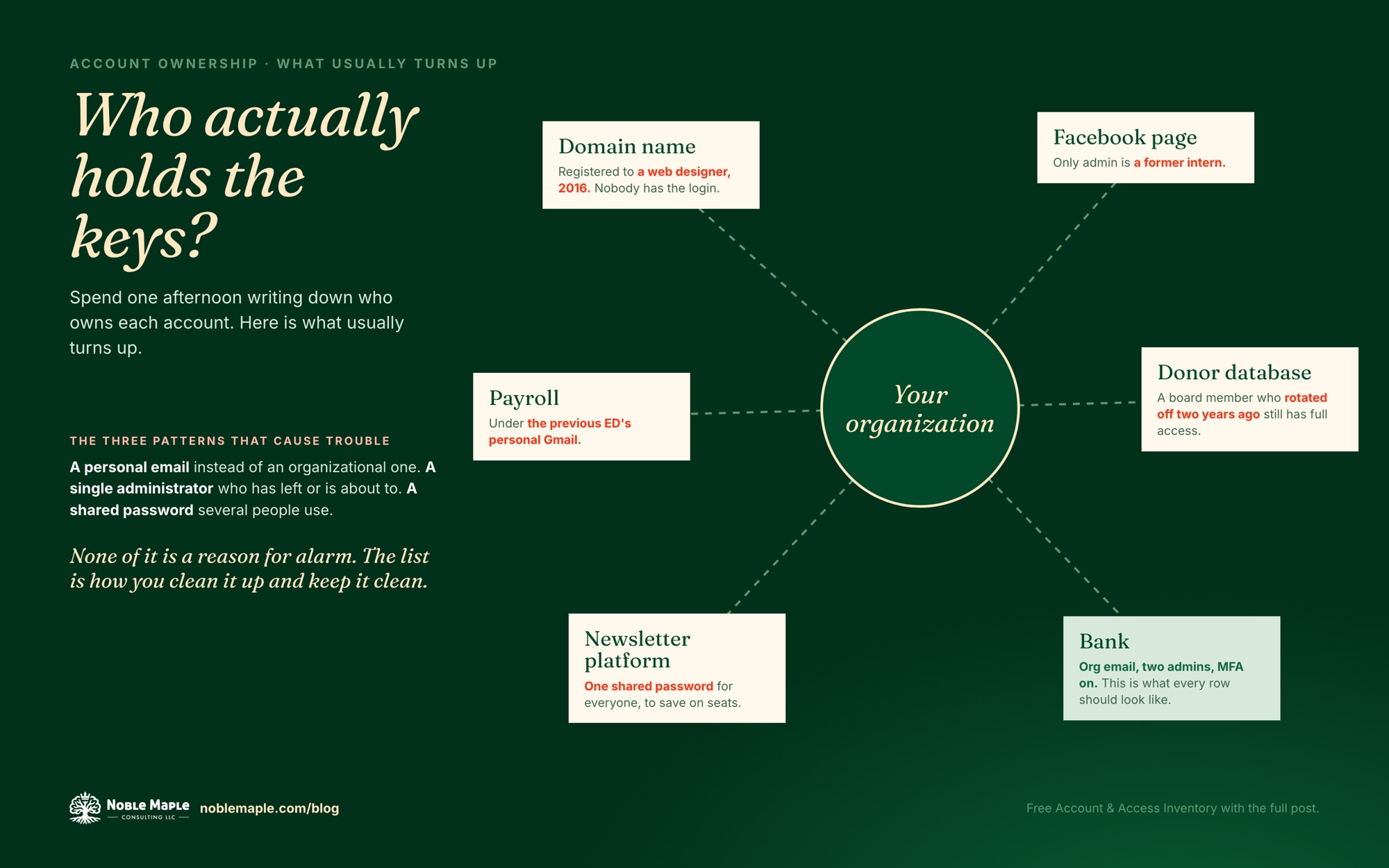 What usually turns up. The bank row is what every row should look like. Click to open full size.
A free inventory to work from
I put together an Account & Access Inventory you can download and fill in. It lists the accounts most small nonprofits have, grouped by how much damage they could do, with columns for owner, registered email, who has access, MFA status and recovery method, plus a one-page offboarding checklist that pulls from the same list. It is a spreadsheet and a short guide, meant to be finished in an afternoon and reviewed twice a year.
If the inventory turns up more than you can sort out on your own, or you want someone to walk through it with you and your treasurer, that is exactly what a technology and systems assessment is for.
Want help with this?
I work with small nonprofits and small businesses on their websites and the systems behind them. The first call is free, and there is no pitch.
Book a free 20-minute call →